




| App Name Telegram | Package org.telegram.messenger | Rating 4.09 ( 816.271) |
| Version 12.2.1 | Developer Telegram FZ-LLC | License Free |
| Downloads 1000 M+ | Update Nov 16, 2025 | Report Report App |
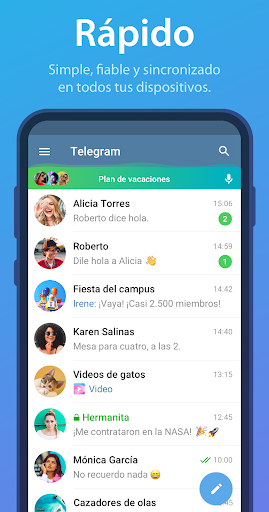
Telegram is one of the most popular messaging applications since its launch in 2013. Have you wondered why it has grown so much in users? The answer lies in its advanced features.
This app offers unique features that are not available in other messaging apps. For example, you can customize the interface to your liking and enjoy a premium mode that was introduced in 2022.
Registration is very simple, you only need your phone number. But here comes the interesting part: you can use usernames to chat without needing to share your number. Isn't it great to be able to keep your privacy?
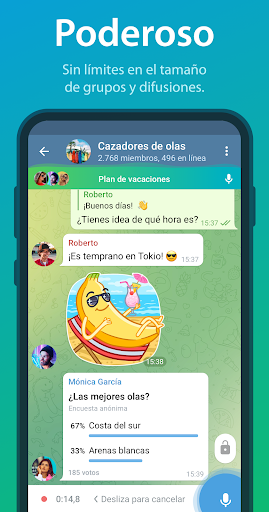
Telegram not only allows individual chats, but you can also create groups with hundreds of thousands of members. Imagine the possibilities for interaction. You have several options to control notifications and how members can interact.
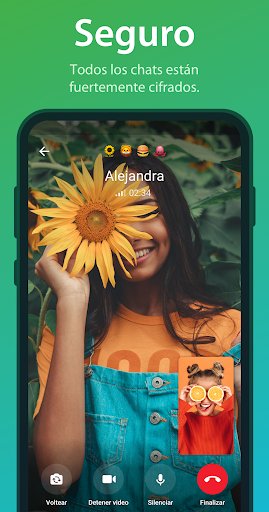
Security and encryption are essential aspects of Telegram. It uses MTProto encryption as standard, and you can initiate secret chats that come with end-to-end encryption. This ensures that your conversations are private and secure.
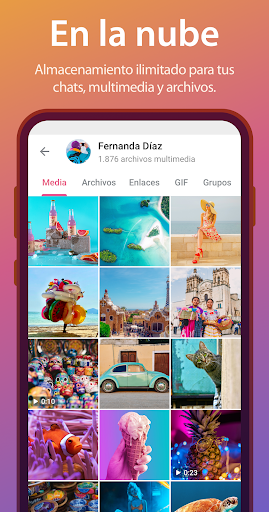
Worried about storage? With Telegram, your chats are stored in the cloud, meaning you can access them from any device. Keep in mind that there is a limit of 2 GB per file, but within that capacity, you can send audios, videos, photos, and GIFs without any problems.
In addition, you cannot forget the bots and channels. Automated bots offer various functions that can make your life easier, while channels are perfect for following content of interest, where only the administrator can post.
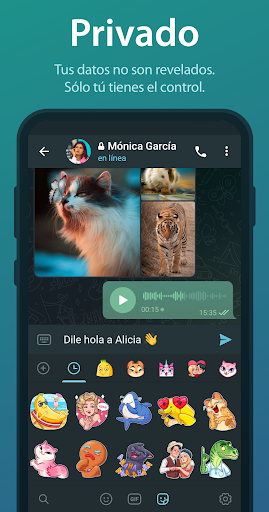
If you like stickers, Telegram was a pioneer in their use and now has animated stickers and animated emojis. Would you like to customize your conversations even more?
Finally, the premium mode not only gives you access to exclusive features like advanced reactions and unique stickers, but also allows you to send files of up to 4 GB and enjoy real-time translation.
Telegram is definitely an option to consider if you're looking for a messaging app that is not only popular but also offers a rich experience in features and security.
...
Thank you for reading our content!. ;)
You can also add your opinion.
We haven’t found an Analysis for this App.
You can also add your opinion.
Available Download Options: You can download the app in APK format, from external Mirror links in the "Download APK" option, or you can install it directly from the official app stores (Google Play, App Store, Microsoft Store).
To download the app for Android directly from the Google Play Store you must visit the site:
https://play.google.com/store/apps/details?id=org.telegram.messenger&hl=es&gl=US
If you are interested in finding the version for iPhone,iPad or iOS, you can visit the following link to the AppStore from Apple:
You can also look for the version for Windows by opening the Microsoft App Store:
https://apps.microsoft.com/store/search/Telegram?hl=es
If the version does not exist, you can also download the app directly on your laptop in a free apk file, and run it in an Android emulator for PC(BlueStacks,Nox Player,MEmu Play,KO Player,Genymotion) and that way you can start the application from desktop devices with Windows, Mac OS or Linux.
And if you want more information about the application, you can also visit the developer's website Telegram FZ-LLC. There you can ask questions and get support from the app's development team.
on your cell mobileto your mobile device:
following the steps indicated in the app, make sure to read the texts it shows you before selecting the options. Telegram on your computer or PC through an android emulator, or on a tablet if the developer has developed a compatible version.
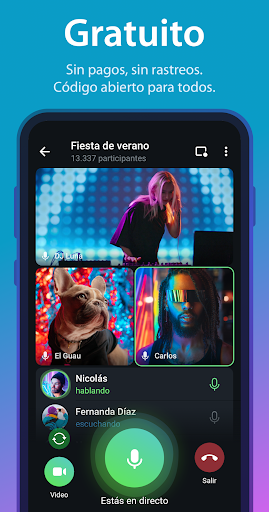
Note: This is an application that allows its free download, you can obtain the original version from different repositories and without Mod-type modifications.
Have you tried the app?, Don’t forget to leave us your opinion... 👇
👨💻 Are you the developer of this game/app?
You can claim your Game's Profile...
Contact us...👇
Copyright© 2019 - 2026 | Download Free Apps at APKCart