






| App Name Pokémon HOME | Package jp.pokemon.pokemonhome | Rating 3.93 ( 5.869) |
| Version 3.4.3 | Developer The Pokémon Company | License Free |
| Downloads 10 M+ | Update November 20, 2025 | Report Report App |
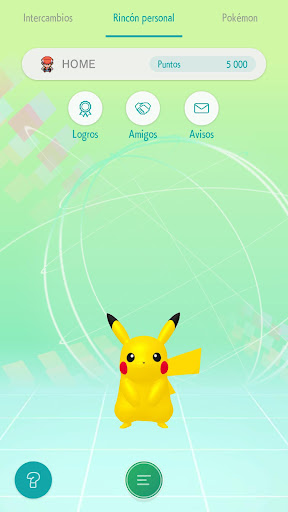
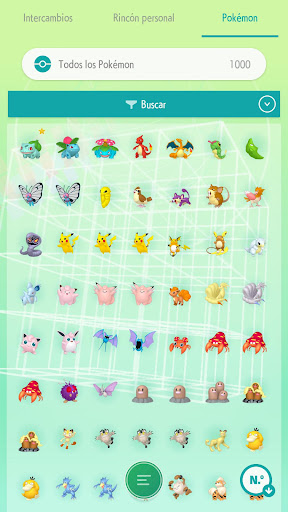
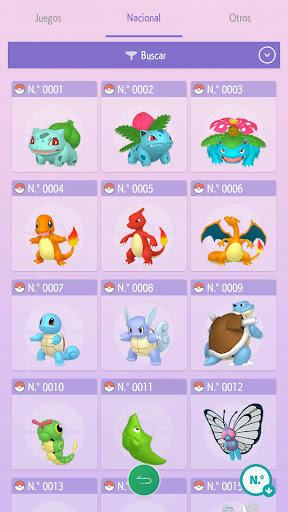
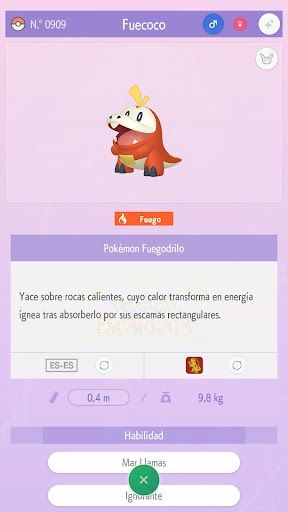
Pokémon HOME is a Pokémon management hub that transforms your Android device into an essential tool for fans of the saga.
Imagine having a digital Pokédex that allows you to store and manage all your Pokémon easily. Have you thought about it? With Pokémon HOME, you can do just that, and much more!
One of the most interesting features is its integration with Nintendo Switch. Did you know you can take certain Pokémon to games like Pokémon Sword or Shield directly from your device? This makes the transition between platforms super easy.
Upon starting the app, you can customize your experience by choosing your avatar and starting Pokémon. It's a small detail, but it adds a personal touch that many users appreciate.
The three-dimensional viewing of the Pokémon is another highlight. You'll be able to see your creatures in 3D, accompanied by information about their attacks, attributes, and history. How exciting is it to explore all that your Pokémon can offer!
And speaking of interaction, can you imagine being able to hear your Pokémon? With Pokémon HOME, you can do it by tapping on them. This feature adds a layer of connection that many fans will enjoy.
The global trading aspect is one of the most attractive features of the app. You can trade Pokémon with users from all over the world. This not only helps you complete your Pokédex but also allows you to meet other Pokémon trainers; who knows what friendships you could make!
Additionally, the wonder boxes are a fun way to receive random Pokémon from other players. Would you dare to open one and see what you get?
Pokémon HOME is undoubtedly an indispensable app for fans of the saga. With a Pokédex always available and filled with creatures, you will have the best possible experience in the Pokémon world.
So, are you ready to take your Pokémon adventure to the next level? With Pokémon HOME, the world of Pokémon is at your fingertips.
...
Don't forget to leave us your comment. ;)
You can also add your opinion.
We haven’t found an Analysis for this App.
You can also add your opinion.
Available Download Options: You can download the app as an APK file, from alternative Mirror links in the "Download APK" option, or you can install it directly from the official app stores (Google Play, App Store, Microsoft Store).
You can quickly and easily download the Android application from the Google Play Store by going to the following link:
https://play.google.com/store/apps/details?id=jp.pokemon.pokemonhome&hl=es&gl=US
If you also want to search for the version for iPhone, iPad, or iOS, you can enter the following link for the AppStore from Apple:
You can search for the Windows version by going to the Microsoft App Store:
https://apps.microsoft.com/store/search/Pokémon HOME?hl=es
If the version does not exist, you can also download the app directly to your computer as a free apk file and run it in an Android emulator for PC (BlueStacks, Nox Player, MEmu Play, KO Player, Genymotion), allowing you to open the application on Windows, Mac OS, or even Linux devices.
And if you want more information about this app, you can also visit or go to the website of the developer, The Pokémon Company. There you can make inquiries and get technical support.
on your cell cell phoneto your mobile device:
Don't forget that you can also install Pokémon HOME on your computer or PC using an android emulator, or on a tablet if the developer has created a compatible version.rnrnNote: This is an application that allows its download for free, you can obtain the original version from different repositories and without Mod type modifications.
Have you tried the app?, Don’t forget to leave us your opinion... 👇
👨💻 Are you the developer of this game/app?
You can claim your Game's Profile...
Contact us...👇
Copyright© 2019 - 2026 | Download Free Apps at APKCart