
Netflix Icon

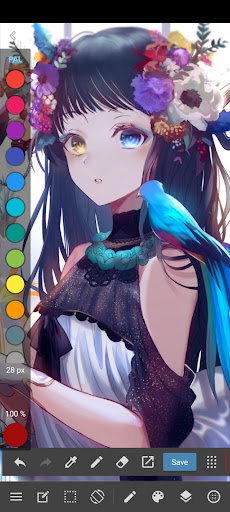
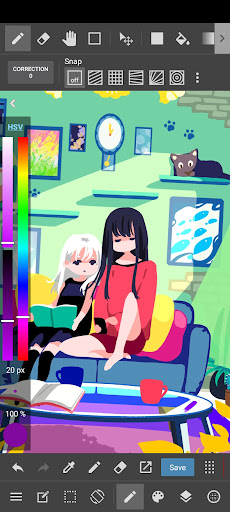
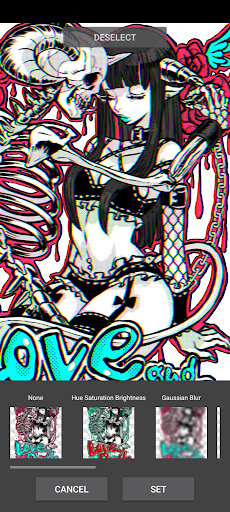
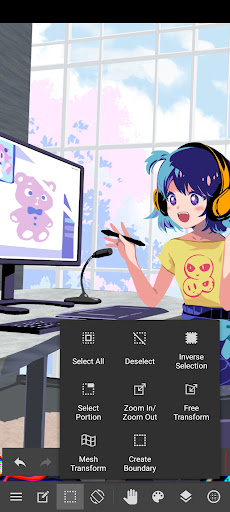
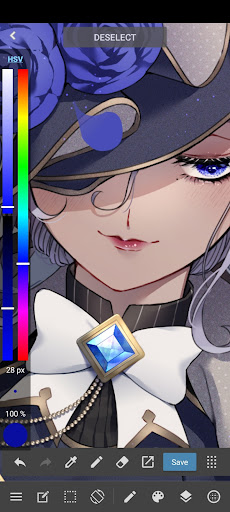
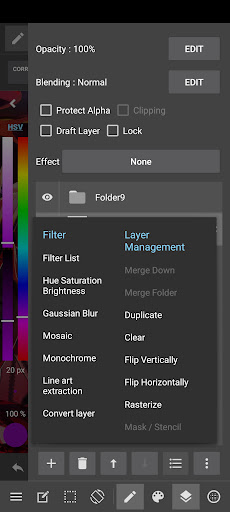
MediBang Paint – Drawing

for Android
An Excellent Tool to Bring Your Artistic Ideas to Life.
14,985
14.985
    Share it with your Friends!... 😉

    App Information

    App Name MediBang Paint - DrawingPackage com.medibang.android.paint.tabletRating 4.34 ( 14.985)
    Version 28.17Developer MediBang Inc.License Free
    Downloads 10 M+Update Nov 17, 2025Report Report App

    App Features

    Analysis (Positive/Negative)

    Pros

    • A Wide Catalog of Movies and Series
    • Easy to Use
    • Ideal for General Audience

    You can also add your opinion.

    Cons

    • Limits on Quality
    • High Prices

    We haven’t found an Analysis for this App.

    You can also add your opinion.

    Step by Step Download

    Best Alternatives

    Find new alternatives
    Download HiPaint - Drawing and Design

    HiPaint - Drawing and Design

    Download Infinite Studio LLC

    Top 3 Alternatives to The Eminence in Shadow RPG

    Download Bosquejopro: Art, Drawing App

    SketchPro: Art, Drawing App

    Download ibis Paint

    ibis Paint

    Download CLIP STUDIO PAINT

    CLIP STUDIO PAINT

    Download ArtFlow: Paint Draw Sketchbook

    ArtFlow: Paint Draw Sketchbook

    Frequently Asked Questions - FAQ's

    1. To download the app you must click the "Download APK", “Download APK” or "Download" button.
    2. Then, select the available download server.
    3. Wait a couple of seconds while the progress bar loads.
    4. Click the “Download Now” button or on the available download link.
    5. Copy the APK file to your phone and then proceed with the installation process.

    on your cell To install an external application, you must enable the permission in the Android settings.to your mobile device:

    1. Download the .apk file on your mobile device:
      - If you don't have the file, you can follow the previous steps to download it.
    2. Enable permissions for third-party apps:
      - To install an app from an external source you must enable the permission in Android settings.
      - Go to Settings> Security> and select Unknown Sources.
      This way, your phone will allow the installation of apps from sources other than the Play Store.
      - *Options may vary depending on the version of Android you are using.
    3. Open the File Manager:
      - Look for the .apk file you downloaded, you can do this from your phone's file manager or from the Downloads option in your browser.
    4. You can install MediBang Paint - Drawing:
      - Follow the step-by-step instructions provided by the app, making sure to read the messages before selecting options.
    5. Now that you have followed the steps... Enjoy the App!

    Don't forget that you can also install MediBang Paint - Drawing on your computer or PC via an android emulator, and on a tablet if the developer has created a compatible version.rnrnNote: This is an application that allows for free downloads, you can obtain the original version from different repositories and without Mod type modifications.

    Thank youfor visiting us... 😉

    User Reviews

    Have you tried the app?, Don’t forget to leave us your opinion... 👇

    Subscribe
    Notify of
    guest
    0 Reseñas
    Oldest
    Newest Most Voted

    👨‍💻 Are you the developer of this game/app?
    You can claim your Game's Profile...

    Contact us...👇

    About APKCart
    Contact

    Copyright© 2019 - 2026 | Download Free Apps at APKCart

    APKCart
    follow us on
    APKCart
    Start
    follow us