

| App Name BLACKPINK THE GAME | Package com.takeonecompany.bptg1 | Rating 4.68 ( 4.768) |
| Version 1.16.029 | Developer TakeOne Company | License Free |
| Downloads 1 M+ | Update Nov 11, 2025 | Report Report App |



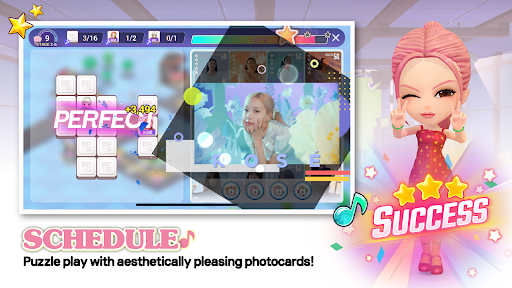

BLACKPINK THE GAME is a management game for Android devices that will surely capture your attention if you are a fan of BLACKPINK.
Can you imagine helping your idols, Jennie, Jisoo, Lisa, and Rosé, reach fame? In this exciting world, your main mission is just that.
Gameplay Mechanics
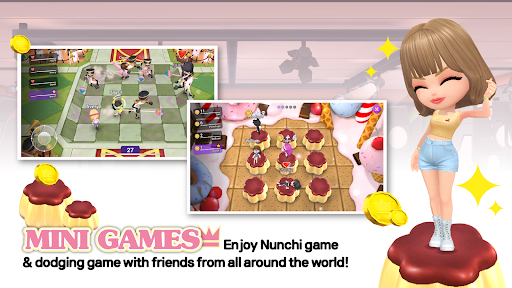
Additionally, there are minigames where you can immerse yourself in BLACKPINK WORLD and play with friends in real time. Isn't it amazing to be able to share this experience with other fans?
Training is key. You need to improve singing, acting, and dancing skills to ensure the group's success. Every little achievement counts, and seeing them progress is extremely satisfying.
Do you like photos? As you level up, you'll have the opportunity to get exclusive photographs of the group. Imagine having those images in your gallery!
Furthermore, you can customize 3D avatars of the members, choosing from over a thousand outfit options. Creativity knows no bounds here.
And if you are someone who enjoys socializing, you'll have the chance to share and showcase your creations to other players in BLACKPINK WORLD. Who wouldn't want to show off their achievements?
Without a doubt, BLACKPINK THE GAME is perfect for BLACKPINK fans. Are you ready to take your idols to the top?
...
Regards, thank you for your visit!. ;)
You can also add your opinion.
We haven’t found an Analysis for this App.
You can also add your opinion.
Available Download Options: You can download the app in APK format, from alternative Mirror links in the "Download APK" option, or you can install it directly from the official app stores (Google Play, App Store, Microsoft Store).
If you want to download the app for Android phone directly from Google Play Store, you must open the link:
https://play.google.com/store/apps/details?id=com.takeonecompany.bptg1&hl=es&gl=US
If you are interested in looking for the version for iPhone, iPad, or iOS, you can enter the following link to the AppStore from Apple:
https://www.apple.com/us/search/BLACKPINK THE GAME?src=globalnav
You can also look for the Windows version by opening the Microsoft App Store:
https://apps.microsoft.com/store/search/BLACKPINK THE GAME?hl=es
If the version does not exist, you can also download the app directly to your computer in apk format for free, and run it on an Android emulator for PC (BlueStacks, Nox Player, MEmu Play, KO Player, Genymotion) and that way you can start the application from desktop devices with Windows, Mac OS, or Linux.
And if you are looking to obtain more information about this app, you could also visit the developer's website TakeOne Company. There you can make inquiries and get technical support.
on your cell To install an external application, you must enable the permission in the Android settings.to your mobile device:
Don't forget that you can also install BLACKPINK THE GAME on your computer or PC via an android emulator, and also on a tablet if the developer has created a compatible version.
Have you tried the app?, Don’t forget to leave us your opinion... 👇
👨💻 Are you the developer of this game/app?
You can claim your Game's Profile...
Contact us...👇
Copyright© 2019 - 2026 | Download Free Apps at APKCart